

Appearance
NinjaOne Setup
NinjaOne is a remote monitoring and management platform. Once connected, Junto can look up device details, check alerts, query installed software, and run remediation scripts during ticket triage.
Prerequisites
- A NinjaOne account with API access
- Administrator access to create API applications
- Knowledge of your NinjaOne region (US, EU, or OC)
Step 1: Create an API Application in NinjaOne
See How to Set Up API OAuth Token for detailed instructions.
Log in to NinjaOne as an admin and select Administration.
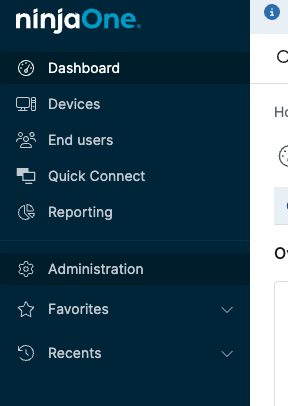
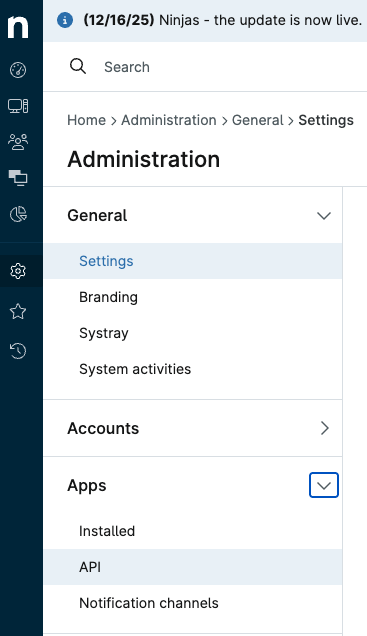
Navigate to Apps → API.
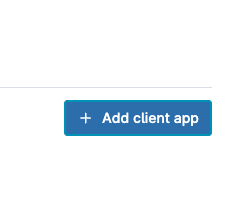
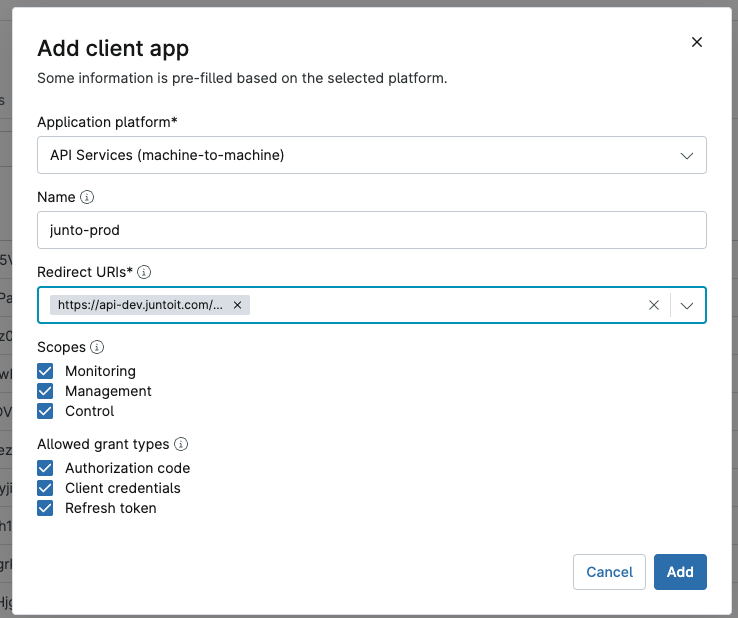
Click Add to create a new client app.
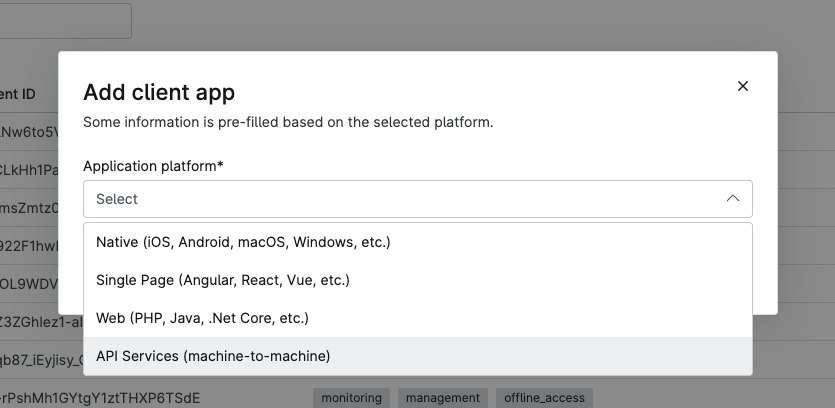
Select API Services (machine-to-machine) as the application type.
Step 2: Configure in Junto
In Junto, go to Settings → NinjaOne → Setup and copy the Redirect URL.
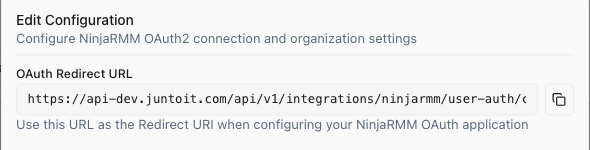
Back in NinjaOne, paste the Redirect URL and enable all permission checkboxes.
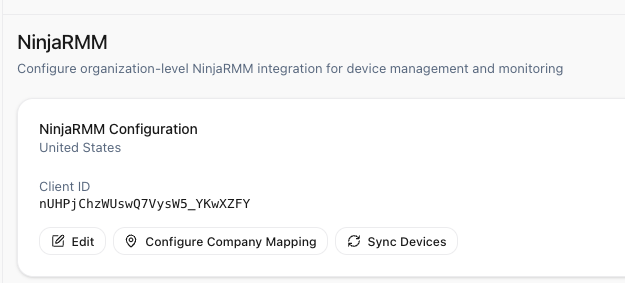
Select your NinjaOne region (US, EU, or OC) and complete the connection.
Step 3: Map Companies
After connecting, map your Junto companies to NinjaOne organizations:
Open the company mapping interface.
Map each Junto company to its NinjaOne organization. Auto-map is available to match by name automatically.
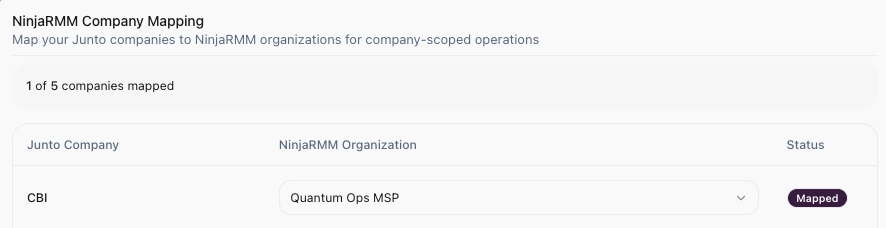
Save mappings.
This mapping ensures the AI agent queries the correct NinjaOne organization when looking up devices for a specific customer.
What the Agent Can Do
Once connected, the agent has access to device management and remediation tools. See NinjaOne Capabilities for the full list of available tools.
Key capabilities include:
- Device lookup -- Search for devices by hostname, IP, or serial number.
- Hardware and software inventory -- Check installed software, disk drives, CPU info, and storage volumes.
- Alert monitoring -- View active alerts and their severity.
- Security checks -- Query antivirus status, detected threats, and OS patch levels.
- Script execution -- Run remediation scripts on remote devices (requires approval).
Script Execution Authorization
Most NinjaOne operations (device lookup, inventory, alerts, security checks) run through the primary API connection you set up above and require no additional sign-in.
Running scripts is different. Per NinjaOne's requirements, script execution uses a per-user authorization (OAuth), so each script runs as the individual technician who approved it rather than as a shared service account. This preserves accountability for actions taken on remote devices.
Known limitation: script execution requires periodic re-authorization
The first time you run a script, Junto asks you to authorize with NinjaOne.
- How it works -- After you authorize, your session is cached and reused automatically. You will not be re-prompted while it remains valid.
- Session lifetime -- NinjaOne issues a short-lived session token (roughly one hour) that, by design, cannot be refreshed. After about an hour of continued use, you'll be asked to authorize again.
This periodic re-authorization is expected behavior, not an error. It's a requirement of NinjaOne's script execution flow and applies only to running scripts — all other NinjaOne capabilities continue to work without re-authorizing.
Troubleshooting
- OAuth connection fails -- Verify your Client ID, Client Secret, and region. Ensure the API application is active in NinjaOne.
- Devices not found -- Check that the company mapping is correct and that the NinjaOne organization contains the expected devices.
- Script execution denied -- Script execution is classified as high-risk and always requires explicit approval. Ensure the approving user has the Manager role or above.
- Prompted to authorize before running a script -- This is expected. NinjaOne's per-user session tokens expire after about an hour and cannot be refreshed, so you'll periodically re-authorize to run scripts. See Script Execution Authorization above.